One lab result is a moment. Your record shows what came before.
Keep earlier results with their dates, units and reference ranges so you can review the sequence with your clinician.
By Lifexam Editorial
AvailabilityFreeDescribes features available on the Free plan. All resources are free to read.
On this page
A new report arrives, and you want to compare it with the last one. If the earlier result is in another portal or an old attachment, even finding both numbers can take some work.
Keeping those reports together lets you look back through the measurements that were actually recorded. You can see when a test was done, open its source report and bring the sequence to your doctor.
See earlier measurements in the marker view
Lifexam's marker view brings recorded results together and shows trends where earlier measurements are available. You can open the original report when you need to check a value or read the surrounding information.
Reading markers and their history is available on Free and Plus. The separate related-observation navigation feature is included with Plus.
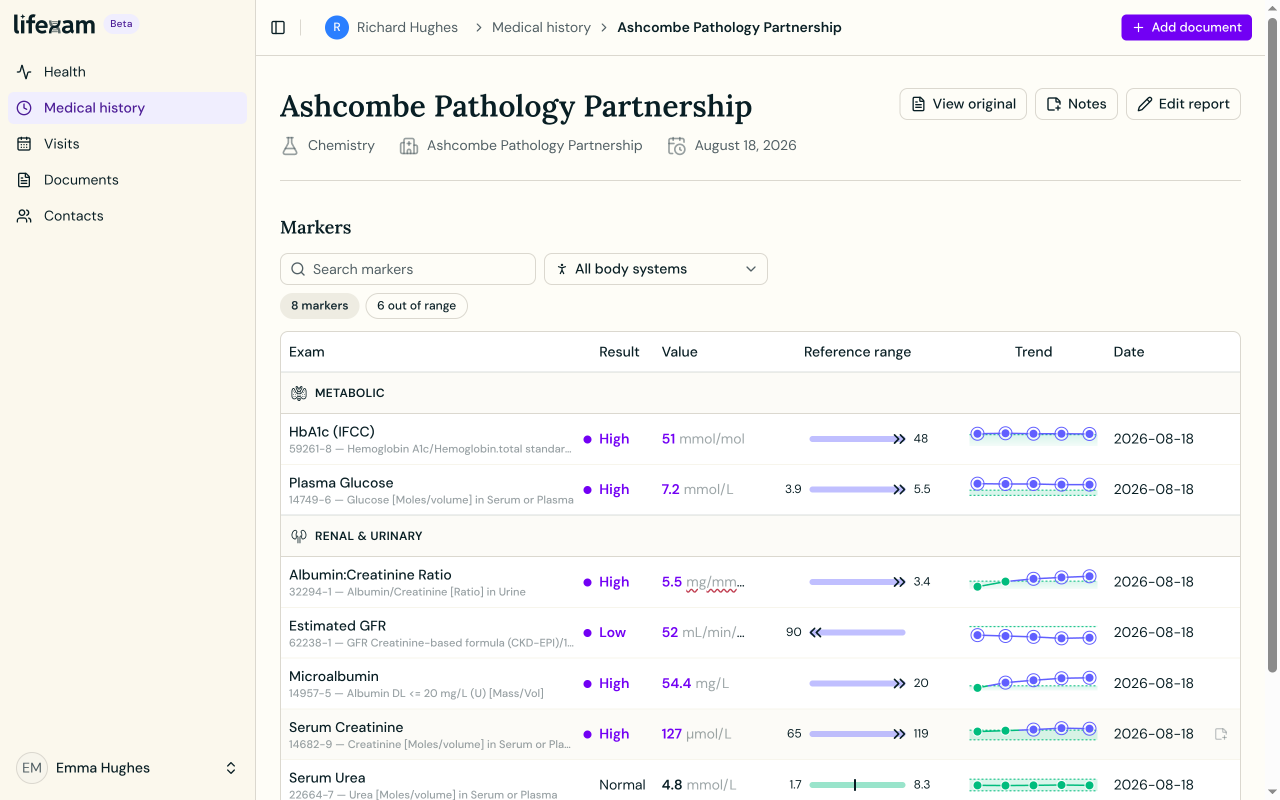
Keep the unit and range with the number
A number on its own leaves out part of the result. The unit tells you what it is measured in, and the reference range records the comparison printed by that lab.
When you look across reports, check those details as well as the value. Different units or reference ranges can make a direct comparison misleading. An above-range or below-range flag describes the recorded comparison; it isn't a diagnosis.
If an extracted value looks wrong, use View original to check it against the source. If the extraction matches but you're unsure what the result means, take that question to your clinician.
Look at the dates around the result
A timeline gives you another way to find the reports around a particular period. You might want the earlier test your doctor mentioned, or the letter written after an appointment.
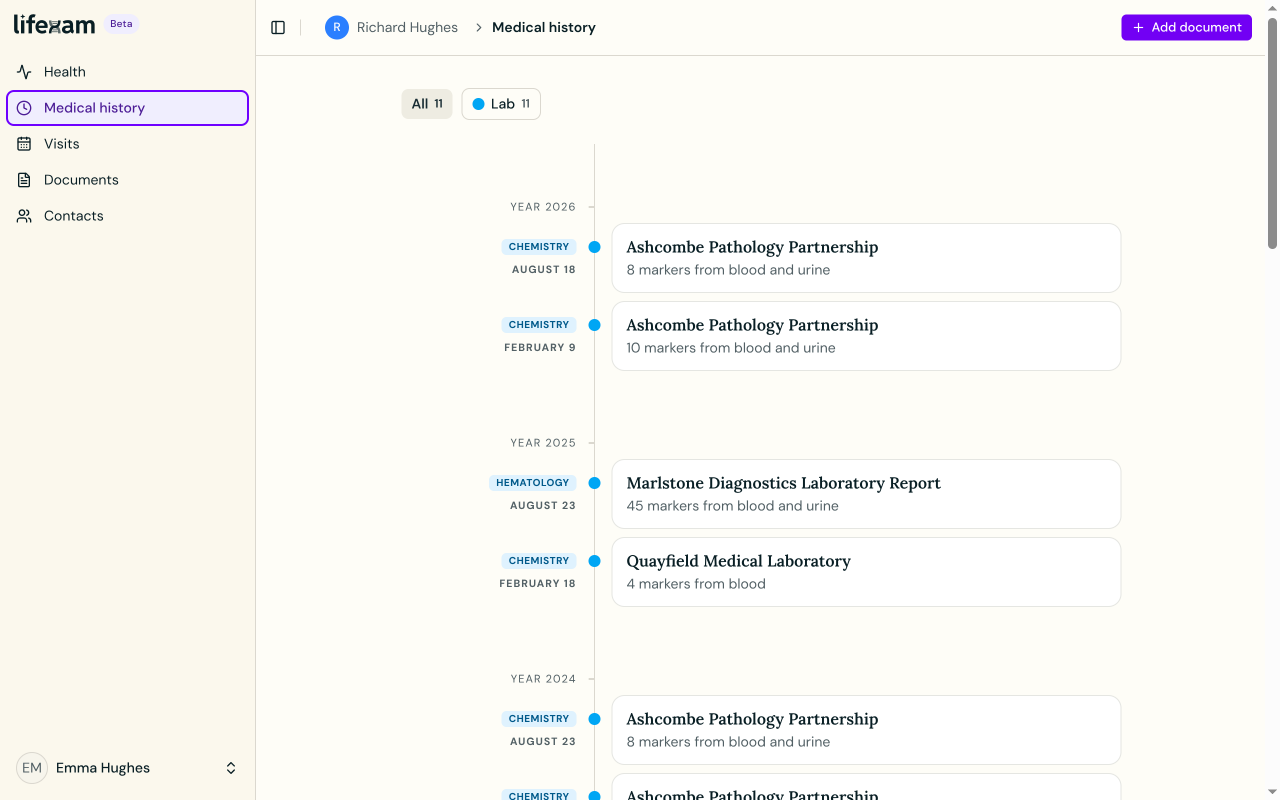
Lifexam can keep written imaging reports and visit letters alongside lab reports. Having them nearby makes it easier to find what was recorded around the same time. Their presence doesn't establish that one finding caused another.
Bring the sequence to the conversation
You can prepare a Visit with reports and highlighted markers, or share your health status with your doctor. Keeping earlier results available saves you from trying to reconstruct the history from memory.
Choose one marker you have measured more than once. Open its recorded history, check the dates and units, and find the original reports. If something needs explaining, write down the question you want to ask at your next appointment.