Prepare for your next doctor's appointment
Gather your reason for the visit, symptoms, reports and questions before you sit down with your doctor.
By Lifexam Editorial
AvailabilityFreeDescribes features available on the Free plan. All resources are free to read.
On this page
You leave an appointment and remember the question you meant to ask. Or you bring the latest blood test, then discover the doctor needs an older report too.
A Visit in Lifexam gives you somewhere to prepare that information. You can gather reports, write questions and open a presentation view during the appointment. Visits are available on Free and Plus for the Profiles you can access.
Write down why you're going
Open Visits and create a Visit. Give it a title you'll recognize, and add the appointment date if you know it.
Use Reason for the sentence you want your doctor to read first. It could be what you want to discuss or what you need from the appointment. The title helps you find the Visit later; the Reason explains why you're there.
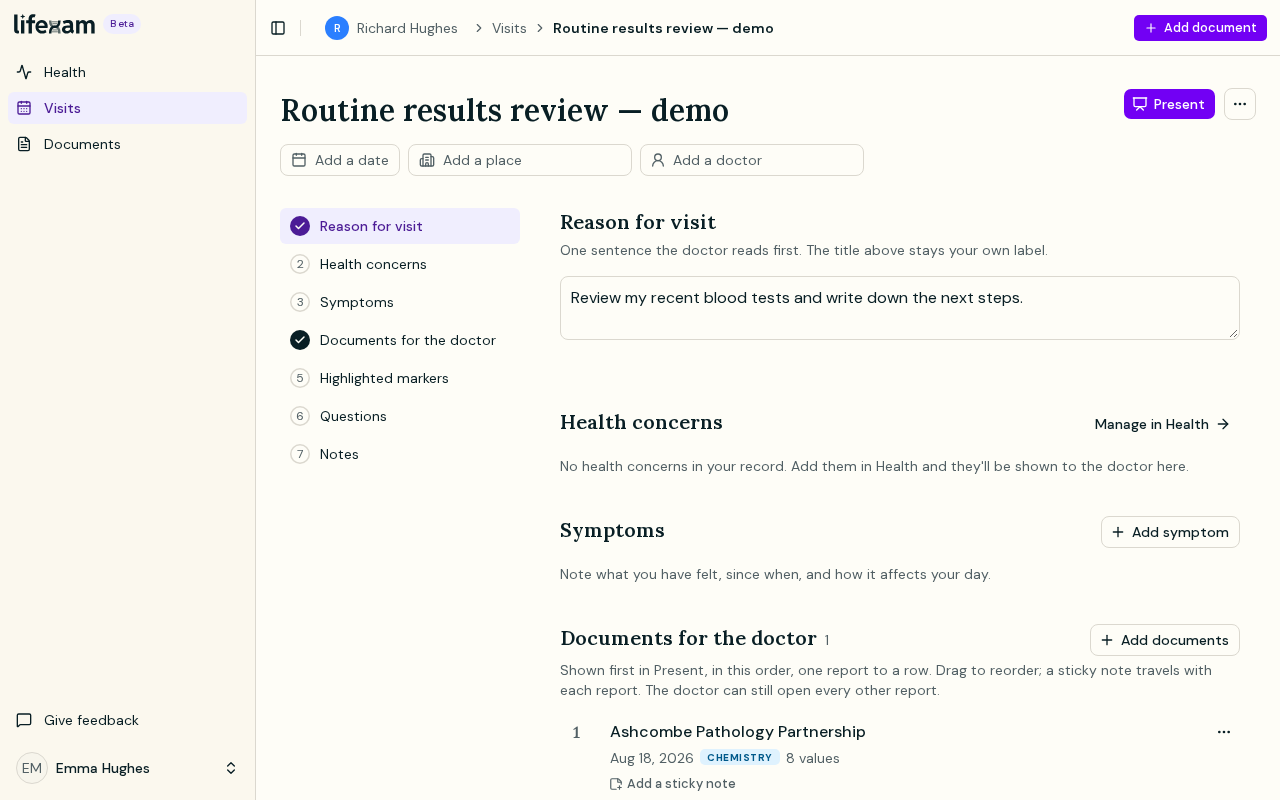
None of the preparation sections is compulsory. Fill in what is useful for this appointment.
Add symptoms and relevant concerns
Write down the symptoms you want to mention and roughly when they began. If you don't remember the day, choose an approximate onset or say you're not sure. You don't need to invent a precise date.
Visits also show Concerns from your health record. Review which ones belong in this conversation. A change to what you show for one Visit doesn't delete the Concern from your record.
Choose what the doctor should see first
In Documents for the doctor, select the reports you want to bring. Put them in the order you would like to discuss them, and add a short note beside a report if there is something you want to point out.
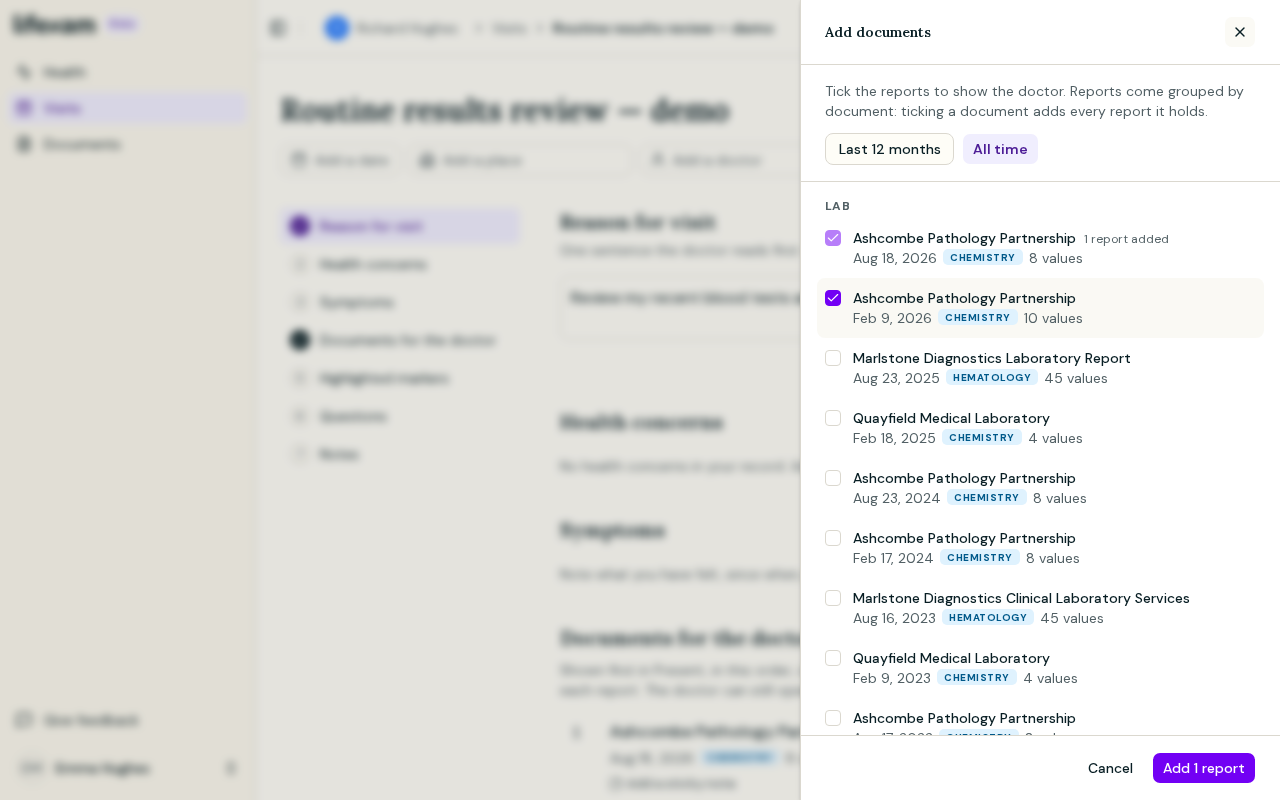
You can also highlight markers. That helps you draw attention to particular results without writing the values into a separate note.
These selections set the starting point in Present. They do not restrict it to selected reports or markers: the presentation view can show the whole record. If you plan to hand over your phone, review that scope beforehand.
Put your questions where you can find them
Add the questions you want answered. You can record answers during the appointment and use Notes for anything else you need to keep.
You don't have to turn a question into medical language. Write it in the words you would use with your doctor, with enough detail that you will recognize it when the conversation moves on.
Open Present at the appointment
Present opens a view intended for reading with a clinician. It brings together your reason, the Concerns you chose to show, symptoms, markers, reports, questions and notes. The reports you brought and the markers you highlighted are shown first.
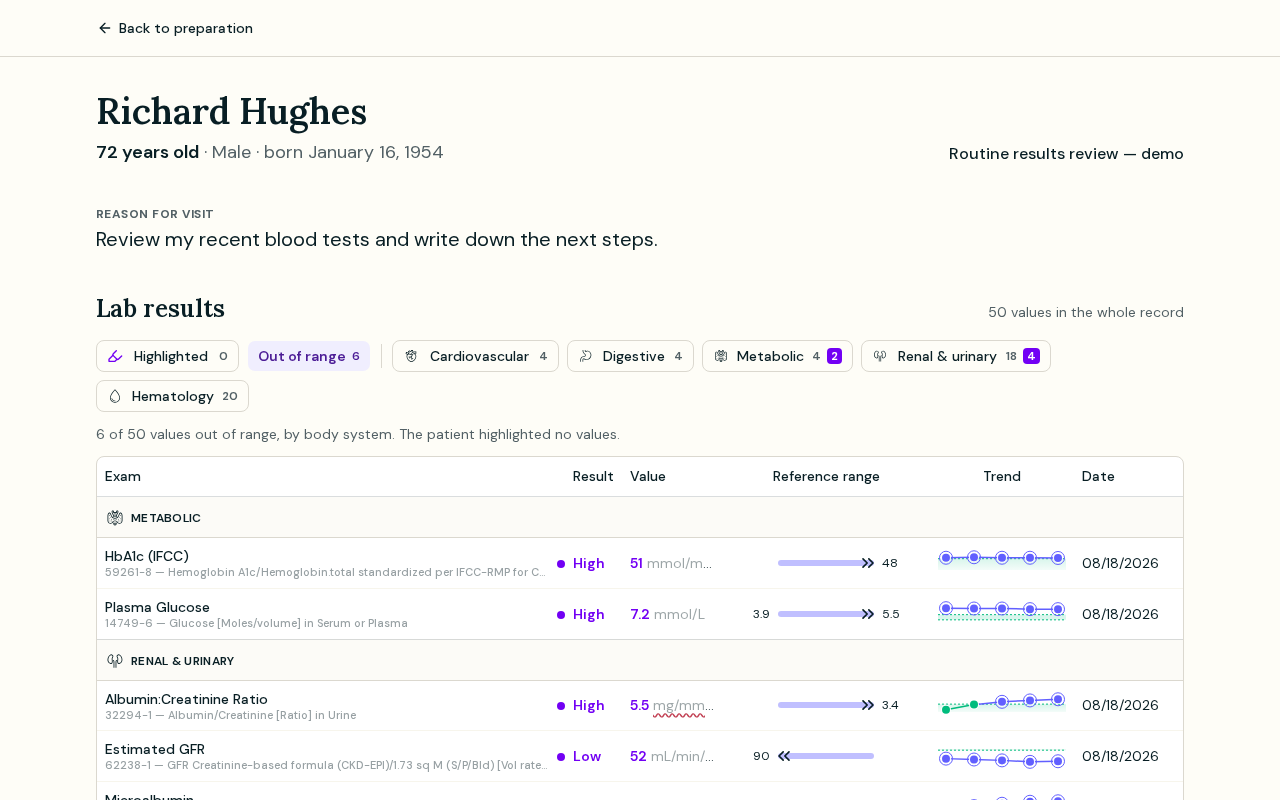
You can enter answers and update Notes while presenting. After the appointment, return to them before preparing the next Visit. A follow-up Visit can carry forward the brought reports, highlighted markers, symptoms and unanswered questions; its reason, notes and date start empty.
Before the appointment, open Present once yourself. Check that you have selected the right person's Profile and that the reports you want to discuss are easy to find.